Clouds and callouts
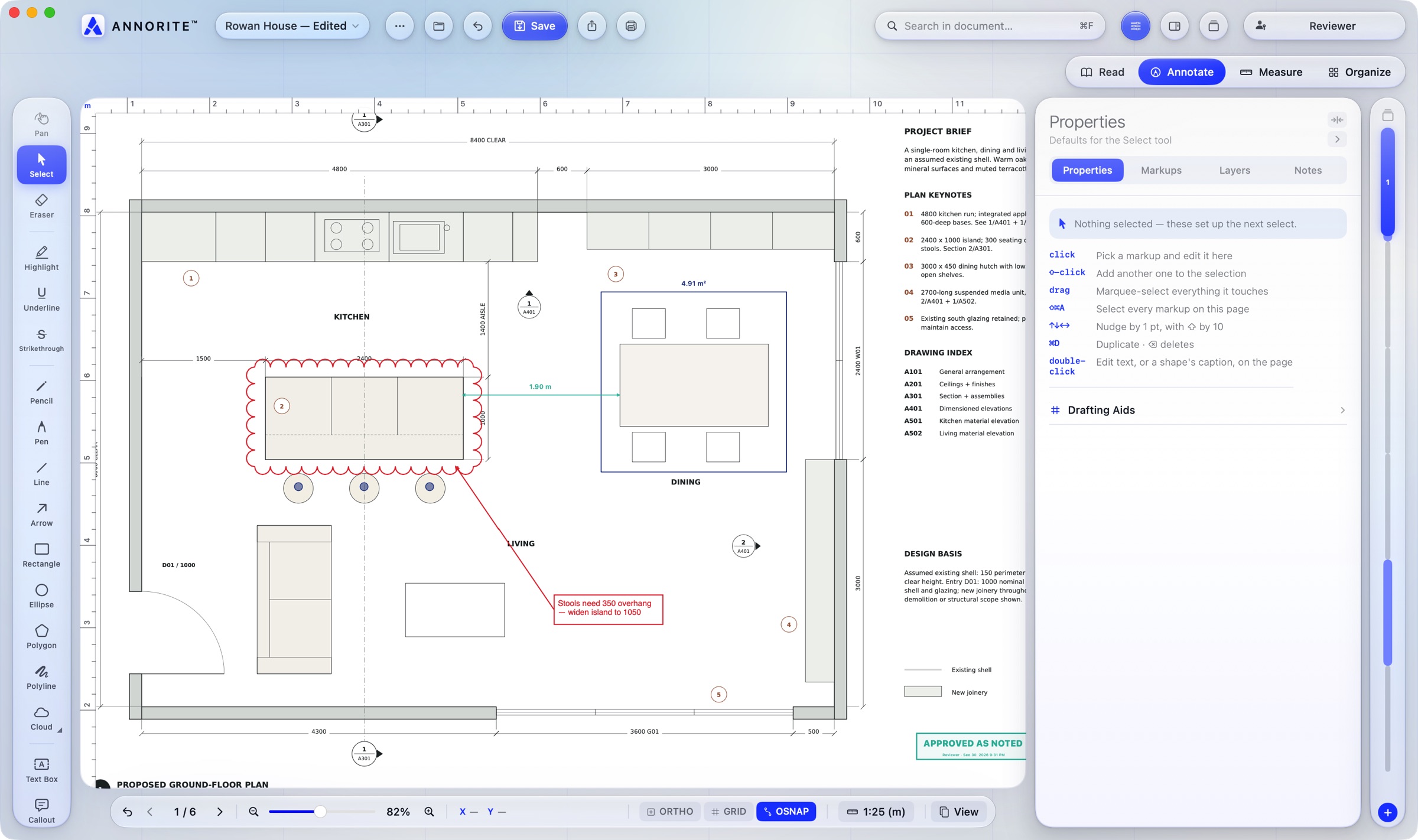
Revision clouds, cloud-plus-leader, callouts, notes and text that lay out live as you type. C Q
Annorite™ is a native macOS app for reviewing construction drawings. Cloud a change, call it out, measure it to scale and stamp it approved — fast, precise, and entirely on your Mac.
macOS 15 Sequoia or later · 14-day free trial at launch
Most construction markup software was built for Windows. Annorite was built for the Mac from its first line — native, fast, and at home next to the rest of your tools.
See it work
Real recordings of Annorite on the Rowan House sample set. Pick a tool, or let them play through.
Features
The tools you reach for in every review, each one key away.
Revision clouds, cloud-plus-leader, callouts, notes and text that lay out live as you type. C Q
Calibrate from any known dimension, then measure lengths, areas, counts and angles in feet-and-inches or metric. M G
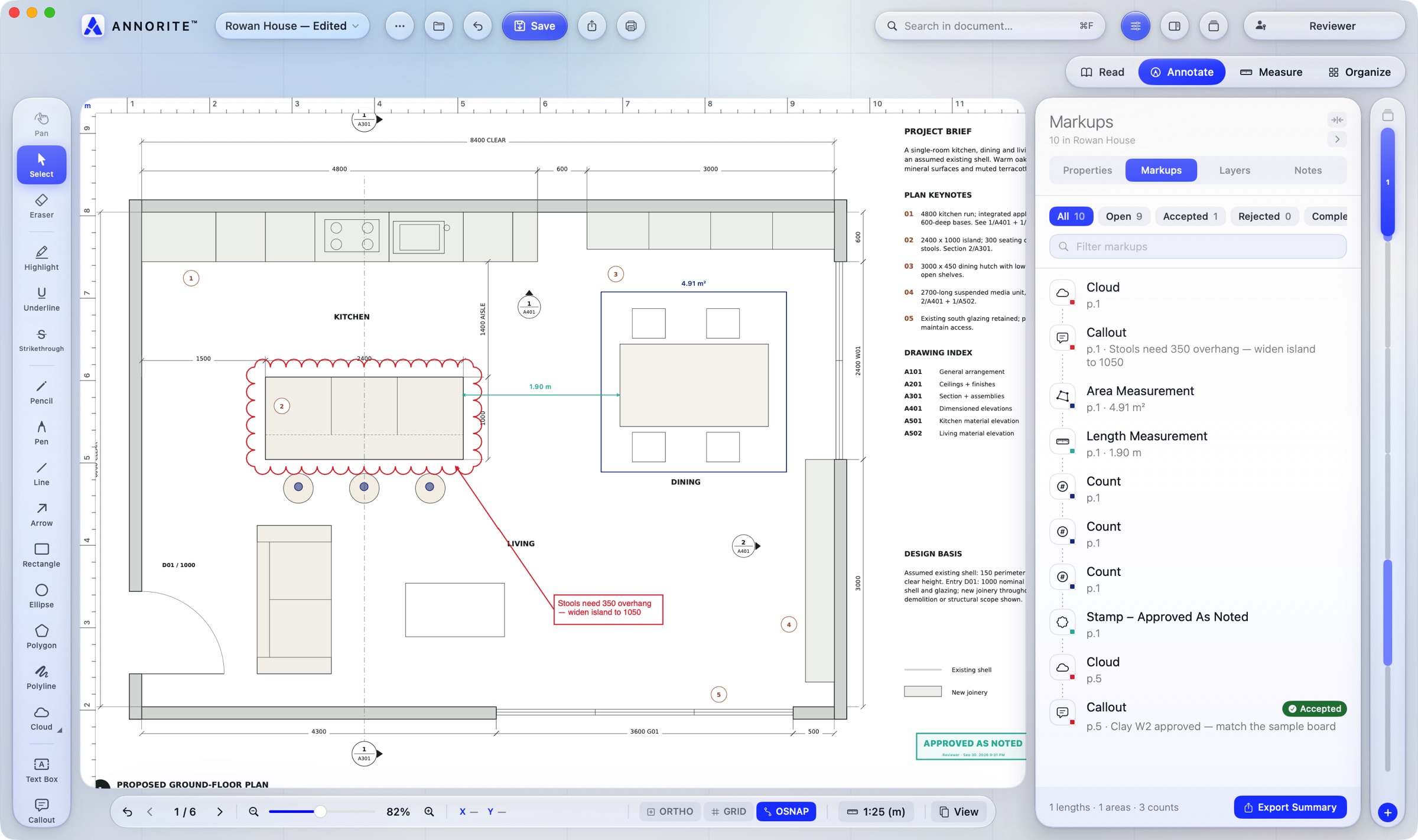
Name, lock, hide, recolour and reorder layers. They're saved in the PDF, so the file reopens exactly as you left it.
Drafting aids on the status line, as in AutoCAD: square lines, a grid in drawing units, and snaps to ends, midpoints and centres.
Approved, Approved as Noted, Revise & Resubmit, For Construction and more — with your name and the date — plus your own signature, drawn once.
Lift a detail off one sheet and place it on another at 100% — it keeps its drawing scale, so it still measures true.
Open a DXF from any CAD program and it becomes a sheet to mark up, already measuring in the drawing's own units.
Drag sheets into order, drop in PDFs, pictures or DXFs exactly where they belong, and move any markup from one sheet to another.
Markups are standard PDF annotations, so they show up in Preview, Acrobat and the tools your team already uses.
Review
A live list of every markup in the set — searchable, filterable and tracked from open to closed.
Made for macOS
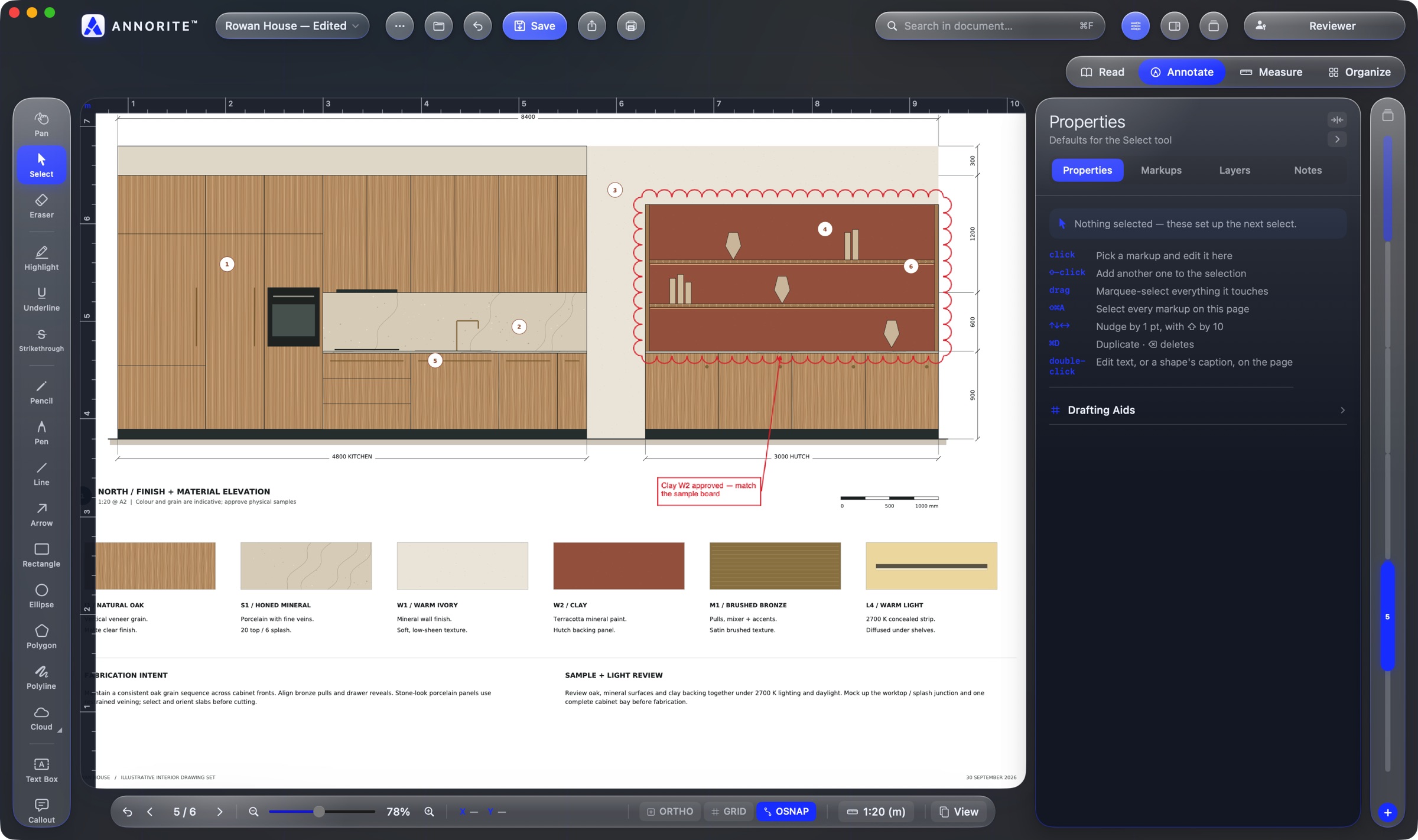
Annorite follows your Mac's light and dark appearance, or keeps one of four themes. Liquid Glass on macOS 26, crisp everywhere else.
Privacy
Annorite works entirely offline. There's no account to create, no cloud to upload to and nothing watching what you do.
Pricing
Annorite is coming to the Mac App Store. Every tool is yours to try for 14 days; reading, searching and printing stay free for good.
Pro plans will be announced at launch and sold through the Mac App Store, so purchases and refunds are handled by Apple.
Tell me at launchQuestions
A Mac running macOS 15 Sequoia or later. On macOS 26 it takes on Apple's Liquid Glass look.
Yes. Markups are saved as standard PDF annotations, so they appear in Preview, Adobe Acrobat and other PDF readers. Annorite also keeps extra detail — layers, status, measurement scale — that it reads back when you reopen the file.
Yes. Enter the password to open it; Annorite doesn't store it. For documents that forbid changes, your markups are kept in a separate layer file beside the original, which is never altered.
DXF, yes: open it or drop it into a set and it becomes a sheet, scaled in the drawing's own units. DWG is Autodesk's closed format, so save or export it as DXF (or plot it to PDF) from your CAD program first.
No. It works entirely on your Mac and makes no network connections. See the privacy policy.
Annorite launches on the Mac first. Tell us if you'd use it on an iPad — it helps us decide what comes next.
Email support@annorite.com . There's also a support page with shortcuts and answers.